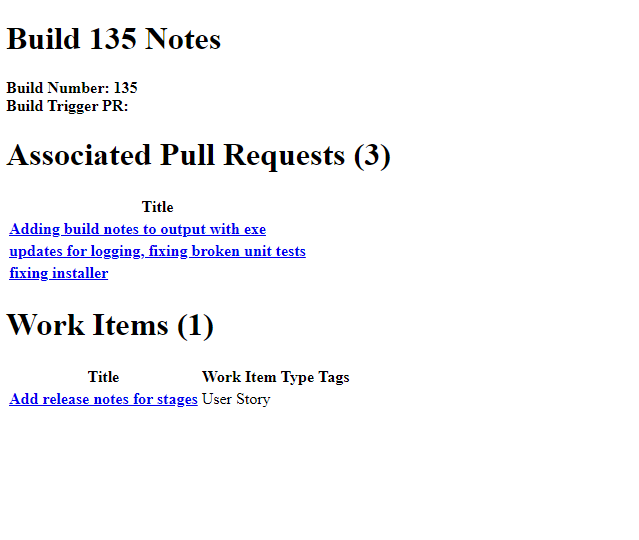
Over the last couple weeks, we added some information to the builds page so that you can see what is going into each build. We recently pass the #100 build mark! While that may seem like a lot, since our infrastructure auto-builds when we commit code, we don’t have to worry about aligning build numbers.
We have 3 stages in our process – testing, preview, and production. While you may certainly install whichever you want, a little insight may help avoid headaches.
Testing – this build runs when the devs have completed a new feature or bug and have finished testing it locally on their machine. Potentially these builds can be very unstable, but they would have the latest features.
Preview – Once the testing process has been run on the latest improvements, builds that pass move on to the preview stage. Advance users or other who like to “kick the tires” on new features may find this useful.
Production – Stable builds have passed a litany of in-house and full workflow testing. These are the builds most people should install or look for changes.
It will be common to see builds that do not make it all the way from Testing to Production. Again, because of how the builds are auto-generated, we only progress the ones that have the code fixes required.
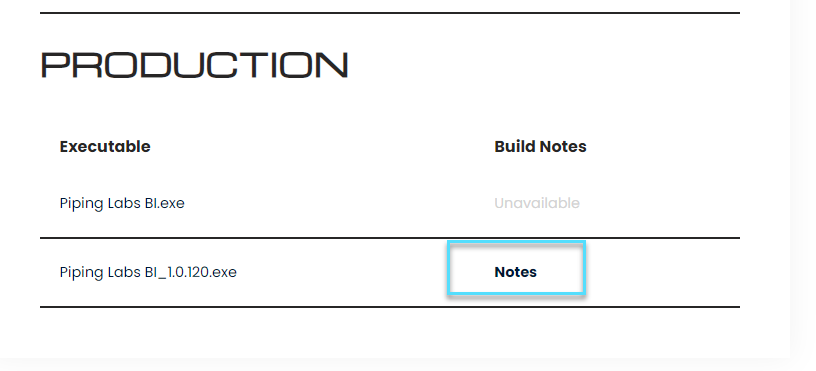
Here’s what the new build page looks like. You can click the notes link to view changes. Currently notes are only associated with the build that has the version number on it.
Here’s a screen shot of what build notes look like.